
Call: 08071791336
 Send Inquiry
 Send Inquiry
Card Reader
MOQ : 1 Piece
Card Reader Specification
- Connectivity Type
- USB Type-A
- Technology
- USB 2.0
- Special Features
- Plug and Play, Hot Swappable, High-Speed Data Transfer
- Remote Control
- No
- Application
- Memory Card Reading for Computers, Cameras, Mobile Devices
- Power Supply
- USB Powered
- Output Formats
- Depends on File Type (JPG, MP4, DOC, etc.)
- File Compatibility
- Supports SD, MMC, Micro SD, TF Cards, MS, M2, XD
- Body Material
- Plastic
- Dimensions
- Approx. 7.5 cm x 2.5 cm x 1.2 cm
- Transfer Rate
- Up to 480 Mbps (USB 2.0)
- Weight
- Approx. 15 g
- Indicator Light
- Yes (LED)
- Supported Operating Systems
- Windows, MacOS, Linux
- Number of Card Slots
- Multiple
- Color
- White with Blue Accents
Card Reader Trade Information
- Minimum Order Quantity
- 1 Piece
- Payment Terms
- Cash in Advance (CID), Cheque, Cash Advance (CA)
- Supply Ability
- 50 Pieces Per Week
- Delivery Time
- 1 Days
- Sample Available
- Yes
- Sample Policy
- If order is confirmed we will reimburse the sample cost
- Main Domestic Market
- All India
Card Reader About
Technical Specification
- KR500E: 125 KHz Proximity card reader
- KR500M: 13.56 MHz Mifare card reader
- Read Range: KR500E - Up to 10CM , KR500M - Up to 5CM
- Reading Time (Card): <200ms
- Power / Current: DC 6 -l4V / Max.70mA
- Connectivity: Wiegand
- Input Port: 2ea (External LED Control
- Output Format: 26bit Wiegand (default) / 34bit Wiegand (default)
- LED Indicator: 2 Color LED Indicators(Red and Green)
- Beeper: Yes
- Operating Temperature: -20 C to +65C
- Operating Humidity:10% to 90% relative humidity non-condensing
- Dimension(W x H x T): 116 x 75 x 17.3mm
- Weight: 50
Efficient Multi-Card Compatibility
The card reader's multiple slots enable seamless reading of various popular memory cards, such as SD, MMC, Micro SD, TF, MS, M2, and XD. This versatility ensures broad compatibility with a wide range of devices and file formats, making it a practical solution for importing images, videos, and documents between computers, cameras, and mobile gadgets.
Quick and Reliable USB 2.0 Transfers
Equipped with USB 2.0 technology, this card reader achieves data transfer rates up to 480 Mbps, facilitating fast file exchanges. Its plug-and-play functionality means there is no need for additional drivers, reducing setup time and enabling immediate use with Windows, MacOS, or Linux systems.
Portable and User-Friendly Design
Weighing just 15 grams and measuring 7.5 cm x 2.5 cm x 1.2 cm, this card reader is both lightweight and compact, fitting conveniently in laptop bags or pockets. The integrated LED indicator provides real-time status updates, and hot-swappable support allows for effortless card changes without restarting your computer.
FAQ's of Card Reader:
Q: How do I use the card reader with my computer or camera?
A: Simply connect the card reader to a USB Type-A port on your computer or compatible device. Insert your memory card into the appropriate slot. The operating system (Windows, MacOS, or Linux) will automatically detect your card, allowing you to transfer files without any additional software installation.Q: What types of memory cards are supported by this card reader?
A: This card reader supports a wide range of cards, including SD, MMC, Micro SD, TF, MS, M2, and XD. You can transfer files in multiple formats such as JPG, MP4, DOC, and more, depending on the contents of your card.Q: When is the LED indicator active, and what does it signify?
A: The LED indicator activates when the card reader is properly connected to a power source (via USB) and a card is inserted. This visual cue signifies that the device is operational and ready for file transfers.Q: Where can I use this card reader effectively?
A: This card reader is ideal for office settings or while on the move, offering a convenient solution for transferring data between computers, cameras, smartphones, and other USB-compatible devices. Its lightweight design makes it easy to carry anywhere.Q: What is the process for swapping out memory cards?
A: Thanks to hot-swappable technology, you can safely remove or insert memory cards into the reader without needing to power off or restart your device. Always ensure data transfers have completed before removing the card for optimal data protection.Q: What are the main benefits of using this USB card reader?
A: The card reader combines plug-and-play convenience, broad card compatibility, high-speed transfers, and a user-friendly design. It supports efficient data management for professionals and everyday users, eliminating the hassle of cumbersome installations or multiple adapters.
Tell us about your requirement

Price:
Quantity
Select Unit
- 50
- 100
- 200
- 250
- 500
- 1000+
Additional detail
Mobile number
Email

More Products in Accessories Category
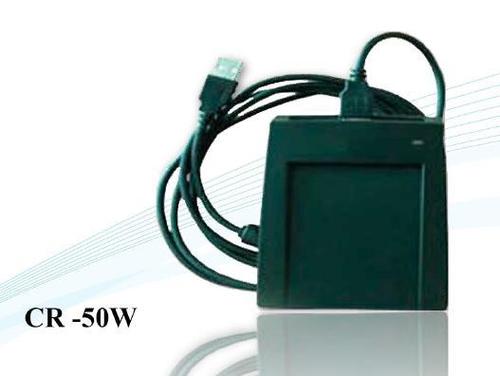
Mifare Reader & Writer
Price Range 4000.00 - 8000.00 INR
Minimum Order Quantity : 10 Pieces
Sensor Type : CMOS
Technology : Wifi
Application : Indoor, Outdoor, Hotels, Restaurant
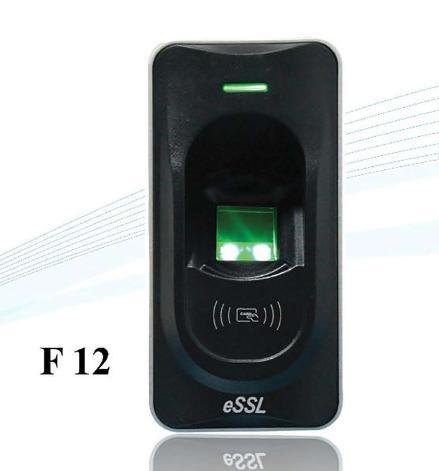
Finger Print Exit Reader
Price 6000 INR / Piece
Minimum Order Quantity : 1 Piece
Sensor Type : Other, Optical Fingerprint Sensor
Technology : Other, Biometric Fingerprint Recognition
Application : Other, Office, Banks, Laboratories, Secure Areas, Industrial Premises
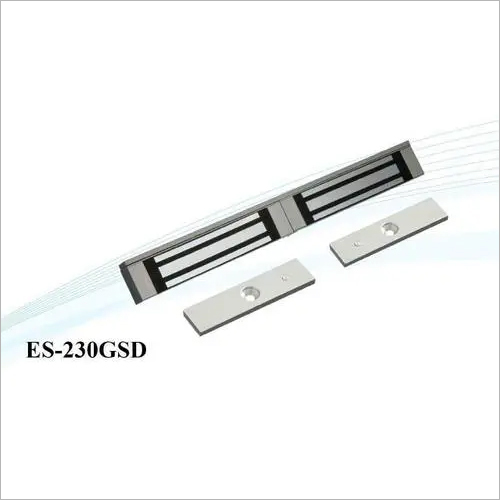
Double Door EM Lock
Price Range 4000.00 - 8000.00 INR
Minimum Order Quantity : 10 Pieces
Sensor Type : CMOS
Technology : Wifi
Application : Restaurant, Outdoor, Hotels, Indoor
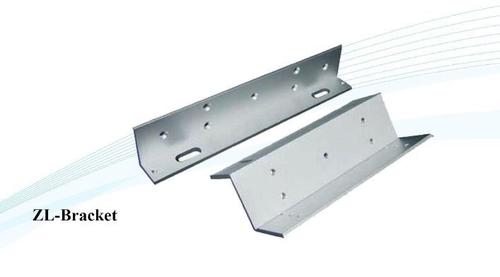
ZL Bracket
Price 500 INR
Minimum Order Quantity : 1000 Pieces
Sensor Type : CMOS
Technology : Wifi
Application : Restaurant, Indoor, Outdoor, Hotels

Contact Details
GST : 07AABCC7716P1Z9
- 7 Th Floor, Office No. -723, T C Jaina Tower I, Distt Janakpuri, Distt Janakpuri,New Delhi - 110058, India
- Phone :08071791336

 Send Inquiry
Developed and Managed by Infocom Network Private Limited.
